

Using a CNC router for model making can be a game - changer in the world of craftsmanship and prototyping. As a CNC router supplier, I've witnessed firsthand how these machines can transform raw materials into intricate and precise models. In this blog, I'll guide you through the process of using a CNC router for model making, from understanding the basics to mastering advanced techniques.
Understanding the CNC Router
Before diving into model making, it's essential to understand what a CNC router is. A CNC (Computer Numerical Control) router is a computer - controlled cutting machine that can precisely cut, carve, and mill various materials such as wood, plastic, foam, and even some metals. It operates based on a set of instructions programmed into a computer, which then controls the movement of the router's cutting tool.
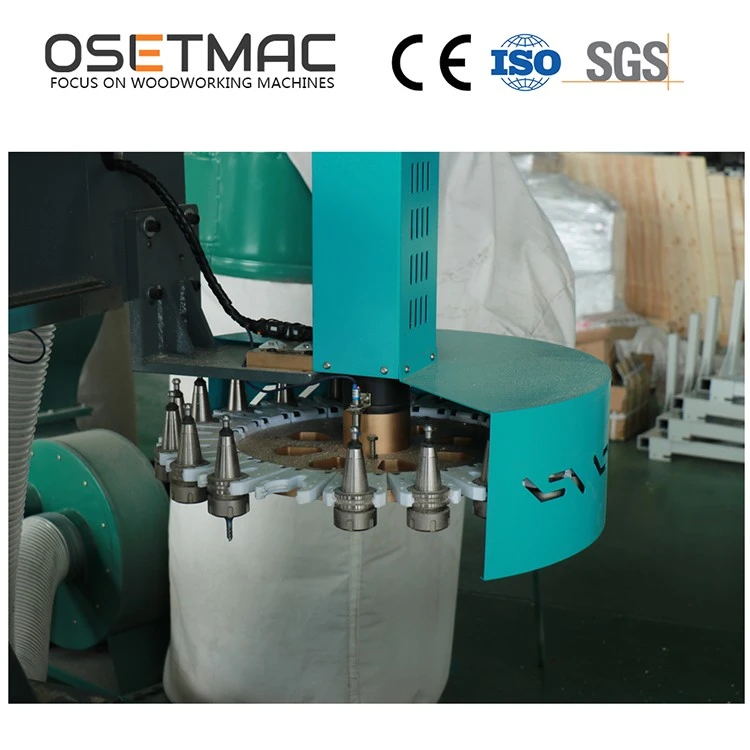
There are different types of CNC routers available in the market. For example, the Wood Carving Machine is specifically designed for working with wood, allowing you to create detailed wood models. The ATC CNC Router comes with an automatic tool changer, which can significantly speed up the model - making process by switching between different cutting tools without manual intervention. And the S - 1325 carving and milling machine is a popular choice for those on a budget who still want high - quality carving and milling capabilities.
Preparing for Model Making
Designing the Model
The first step in using a CNC router for model making is to design the model. You can use various software programs for this purpose, such as AutoCAD, Fusion 360, or SketchUp. These programs allow you to create 2D or 3D models with precise dimensions. Once you've designed the model, you need to convert it into a format that the CNC router can understand, usually a G - code file.
Selecting the Right Material
The choice of material depends on the type of model you're making. For example, if you're making a decorative model, wood might be a great choice as it has a natural look and can be easily carved. If you need a lightweight model, foam or plastic could be more suitable. Consider the properties of the material, such as its hardness, density, and grain direction, as these can affect the cutting process.
Choosing the Cutting Tools
Different cutting tools are used for different tasks. For rough cutting, a large - diameter end mill can quickly remove a significant amount of material. For detailed carving, a smaller - diameter ball - nose end mill is more appropriate. Make sure to select high - quality cutting tools that are suitable for the material you're working with.
Setting up the CNC Router
Before starting the cutting process, you need to set up the CNC router correctly. This includes installing the cutting tool, securing the material to the router table, and calibrating the machine. Make sure the router is level and the cutting tool is properly aligned. You also need to set the appropriate cutting speed, feed rate, and depth of cut based on the material and the cutting tool.
The Model - Making Process
Loading the G - code File
Once the CNC router is set up, you can load the G - code file into the machine's control system. Most CNC routers come with a user - friendly interface that allows you to easily import the file. Double - check the file to ensure that all the settings are correct.
Starting the Cutting Process
After loading the G - code file, you can start the cutting process. It's important to monitor the machine closely during the initial stages to make sure everything is running smoothly. The CNC router will follow the instructions in the G - code file and start cutting the material according to the design.
Making Adjustments
During the cutting process, you may need to make some adjustments. For example, if you notice that the cutting tool is wearing out quickly, you may need to replace it. If the model is not being cut accurately, you may need to adjust the cutting speed or feed rate.
Finishing the Model
Once the cutting process is complete, you can remove the model from the router table. You may need to do some finishing work, such as sanding, painting, or applying a finish, to give the model a professional look.
Advanced Techniques
Multi - Axis Machining
Some CNC routers offer multi - axis machining capabilities, which allow you to create more complex models. For example, a 5 - axis CNC router can move the cutting tool in five different directions, enabling you to create models with undercuts and complex geometries.
Inlay and Engraving
CNC routers can be used for inlay and engraving work. You can create intricate patterns and designs by cutting into the surface of the material. This is a great way to add a decorative touch to your models.

3D Printing with a CNC Router
Although CNC routers are primarily used for subtractive manufacturing, some techniques allow you to use them for a form of 3D printing. By using a special device that extrudes material, you can build up layers of material to create a 3D model.
Troubleshooting
Tool Breakage
Tool breakage is a common problem in CNC routing. It can be caused by various factors, such as incorrect cutting parameters, dull tools, or excessive material hardness. To prevent tool breakage, make sure to use the right cutting tools, set the correct cutting parameters, and regularly inspect and replace worn - out tools.
Poor Surface Finish
If the surface finish of your model is not satisfactory, it could be due to a variety of reasons. The cutting speed, feed rate, and tool geometry can all affect the surface finish. Try adjusting these parameters to achieve a smoother surface.
Alignment Issues
Alignment issues can lead to inaccurate models. Make sure the material is properly secured to the router table and the cutting tool is correctly aligned. You may need to use alignment tools to ensure precise positioning.
Conclusion
Using a CNC router for model making offers a wide range of possibilities. With the right knowledge and skills, you can create high - quality models with precision and efficiency. Whether you're a hobbyist or a professional, a CNC router can be a valuable addition to your workshop.
If you're interested in purchasing a CNC router for your model - making needs, we're here to help. Our team of experts can provide you with detailed information about our products, help you choose the right machine for your requirements, and offer technical support. Contact us to start a procurement discussion and take your model - making to the next level.
References
- CNC Router Handbook: A Comprehensive Guide to CNC Routing Technology
- Woodworking with CNC Routers: Techniques and Projects
- CAD/CAM for CNC Machining: An Introduction


